Guide · Walkthrough
How Remene works, on one real MRI.
Follow a real knee MRI from upload to a document for the doctor. Here are the seven moments that matter; the 11-minute video shows every step.
The video is in English, with the waiting shortened. Playing it loads YouTube.
Seven moments, one MRI.
Every screen below is what Remene showed for this knee, taken from the walkthrough. The study was shared by its owner and de-identified.
Upload your MRI
Choose the folder from your CD, or a ZIP archive. Your name, date of birth, clinic and many other details are taken out of the image files before the images reach the AI.
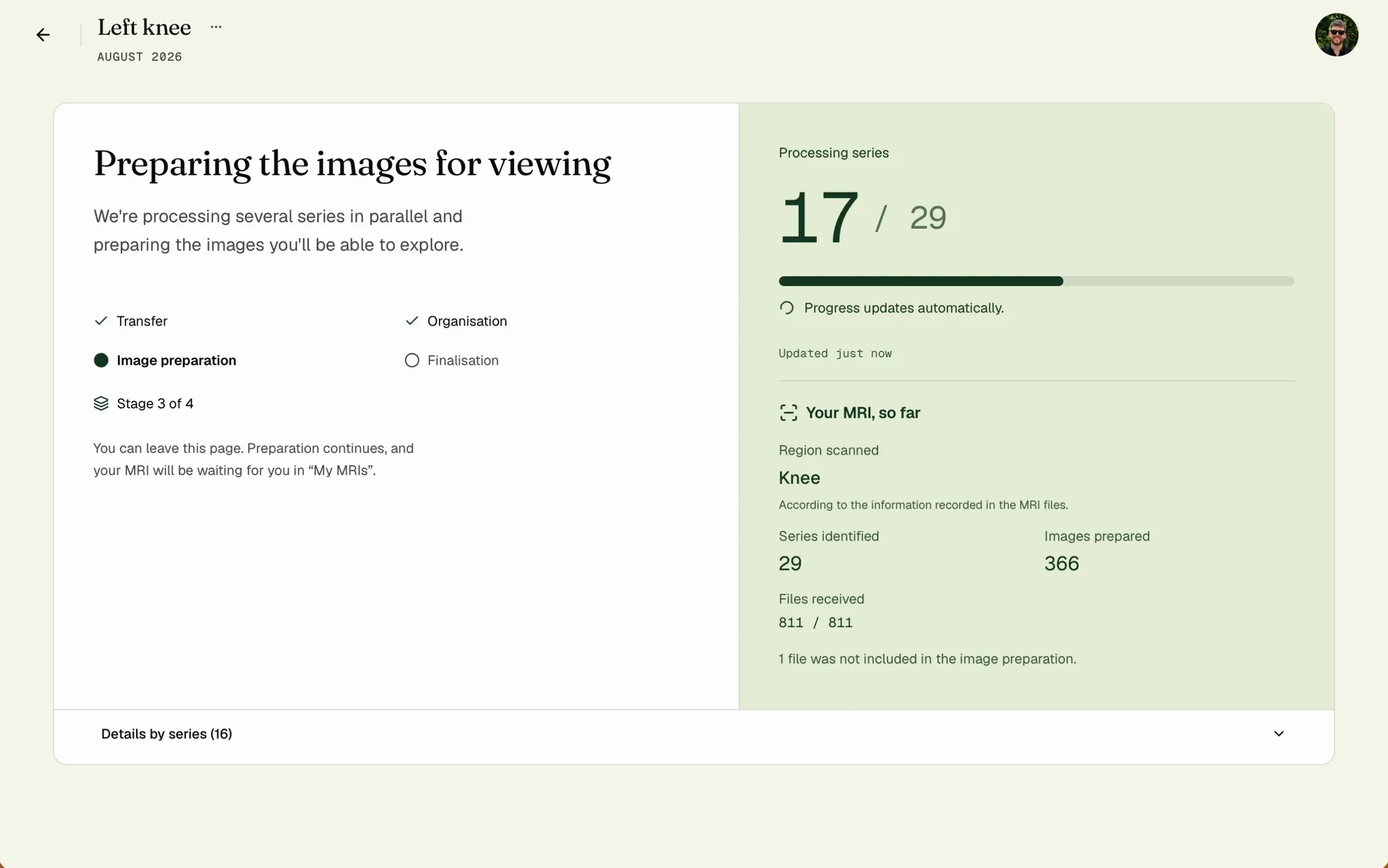
The images are sorted into series and prepared for viewing, with every stage on screen.
Read the analysis
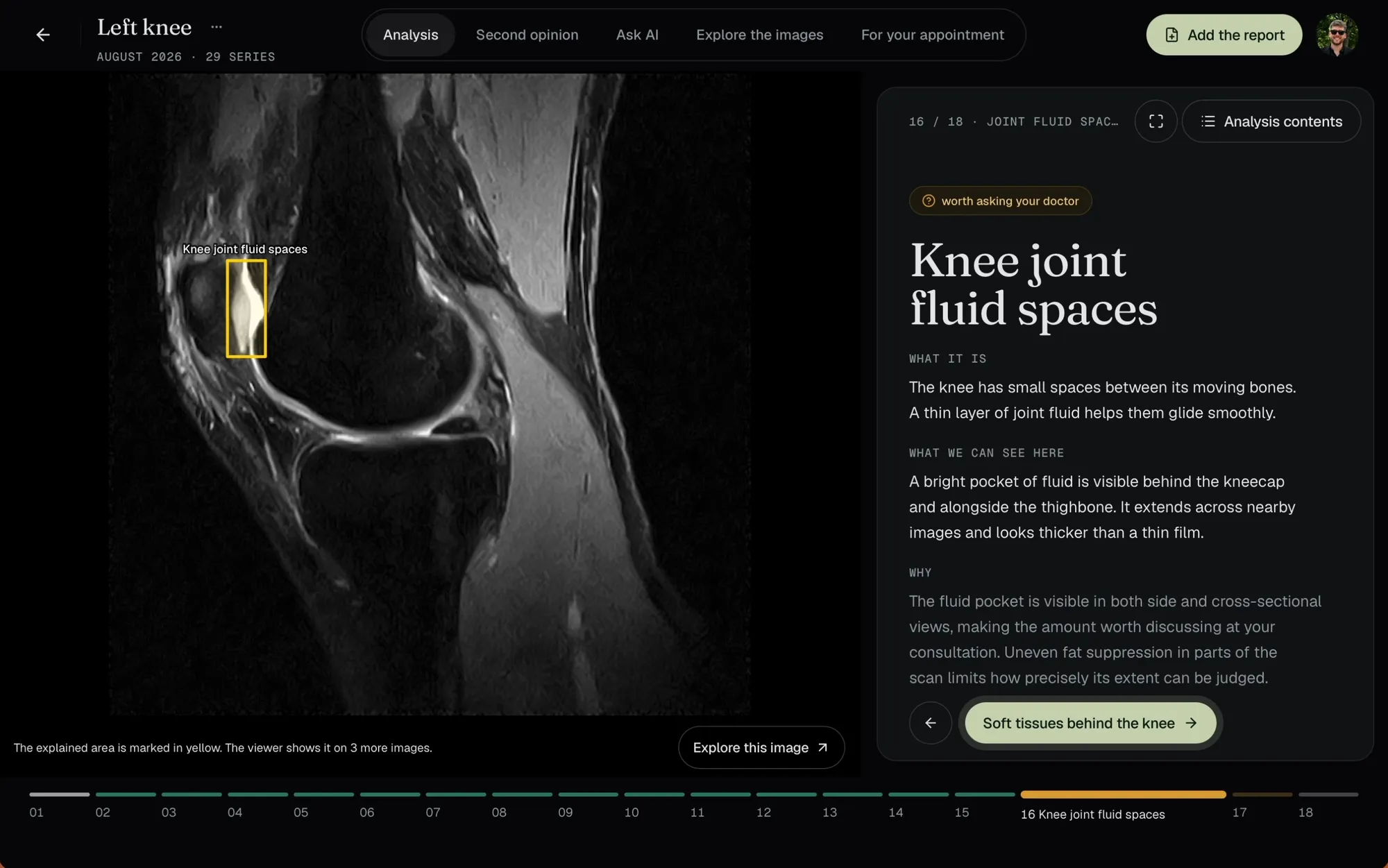
One slide per structure: what it is, what can be seen and why, with a yellow outline on the image and every limit said out loud.
For this knee: 16 structures, 14 with a typical appearance and 2 worth asking your doctor about.
Add the radiologist's report
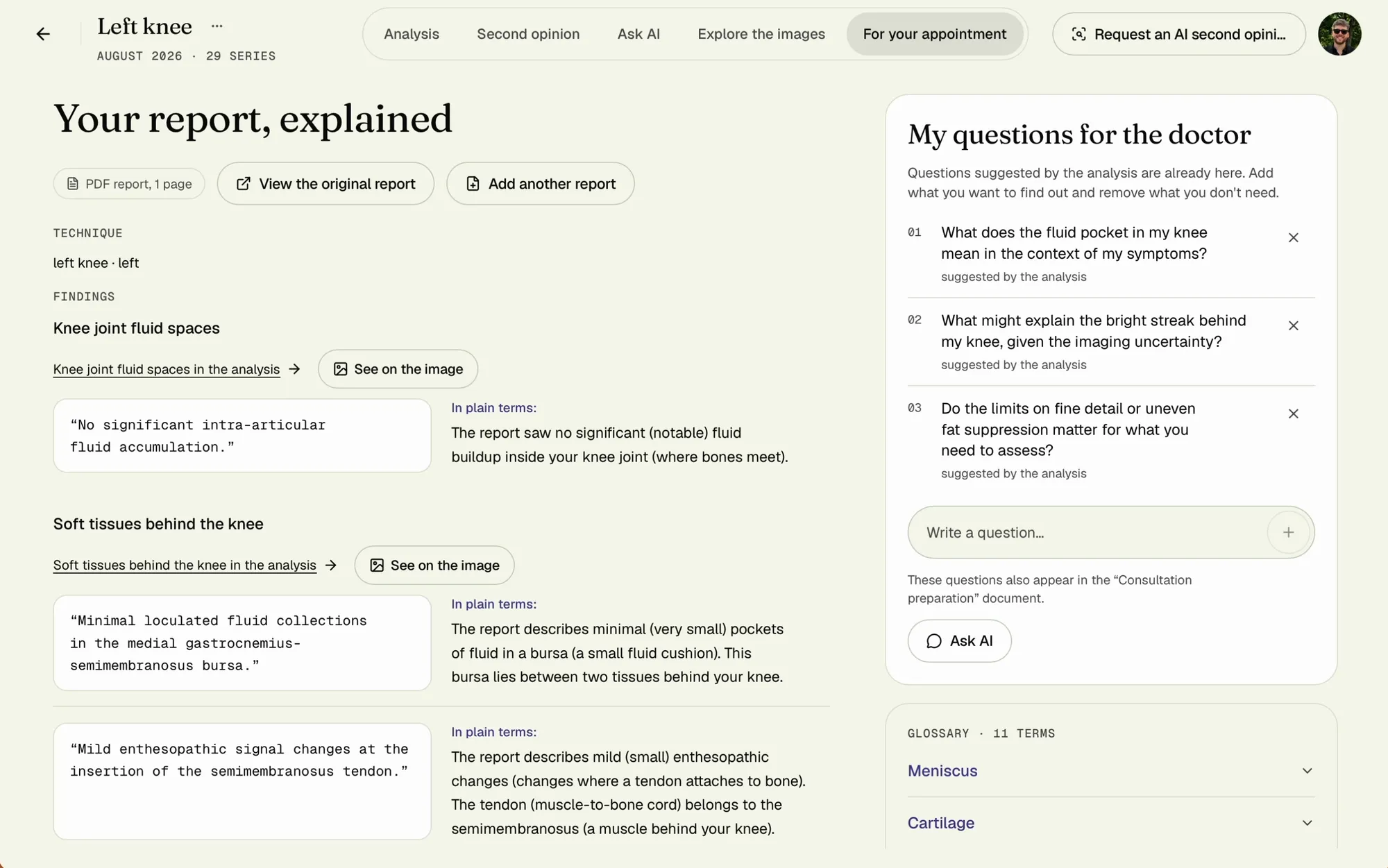
Add it as photos, a PDF or pasted text. Every line keeps the radiologist's own words, with a plain-language explanation beside it.
“See on the image” takes you to the area a line talks about.
A second opinion, only if you ask
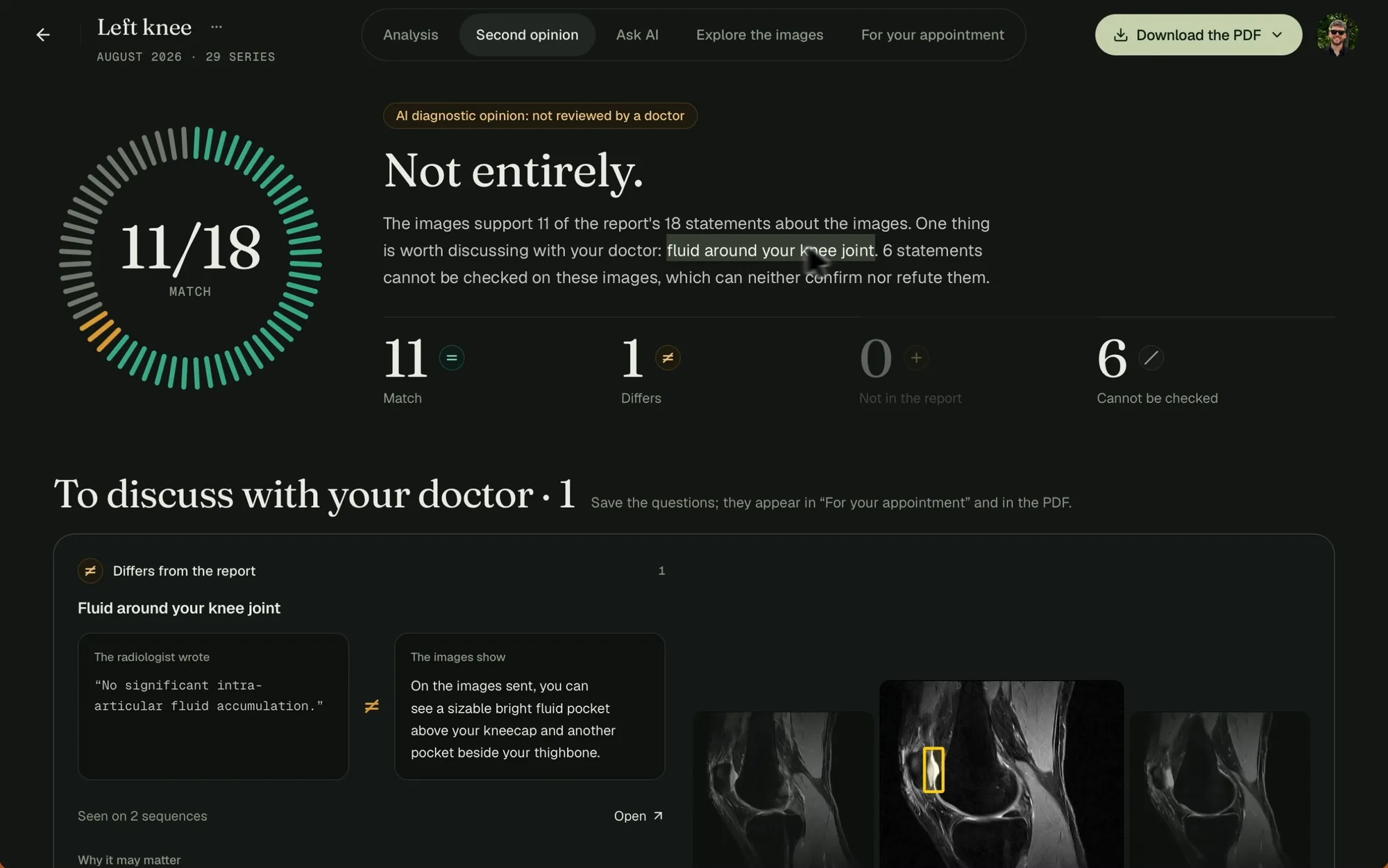
An AI compares the report with the images, line by line: what matches, what differs, what the images cannot check. No doctor reviews it.
Here, 11 of 18 statements match, 6 cannot be checked, and one differs: the fluid.
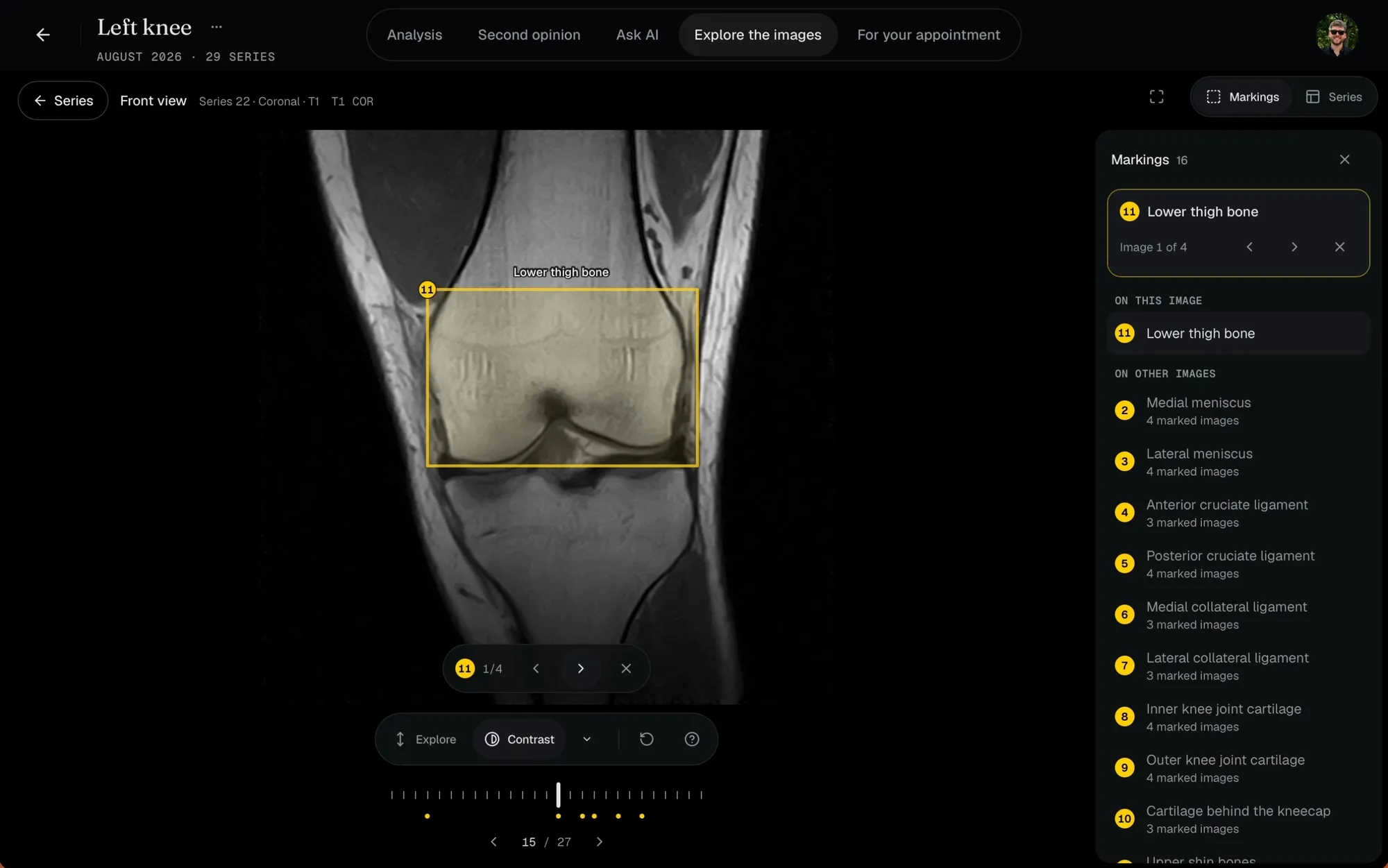
Explore every image
Every series in a full viewer, in your browser, free and with nothing to install.
Step through the slices, change the contrast, and follow the analysis markings across views.
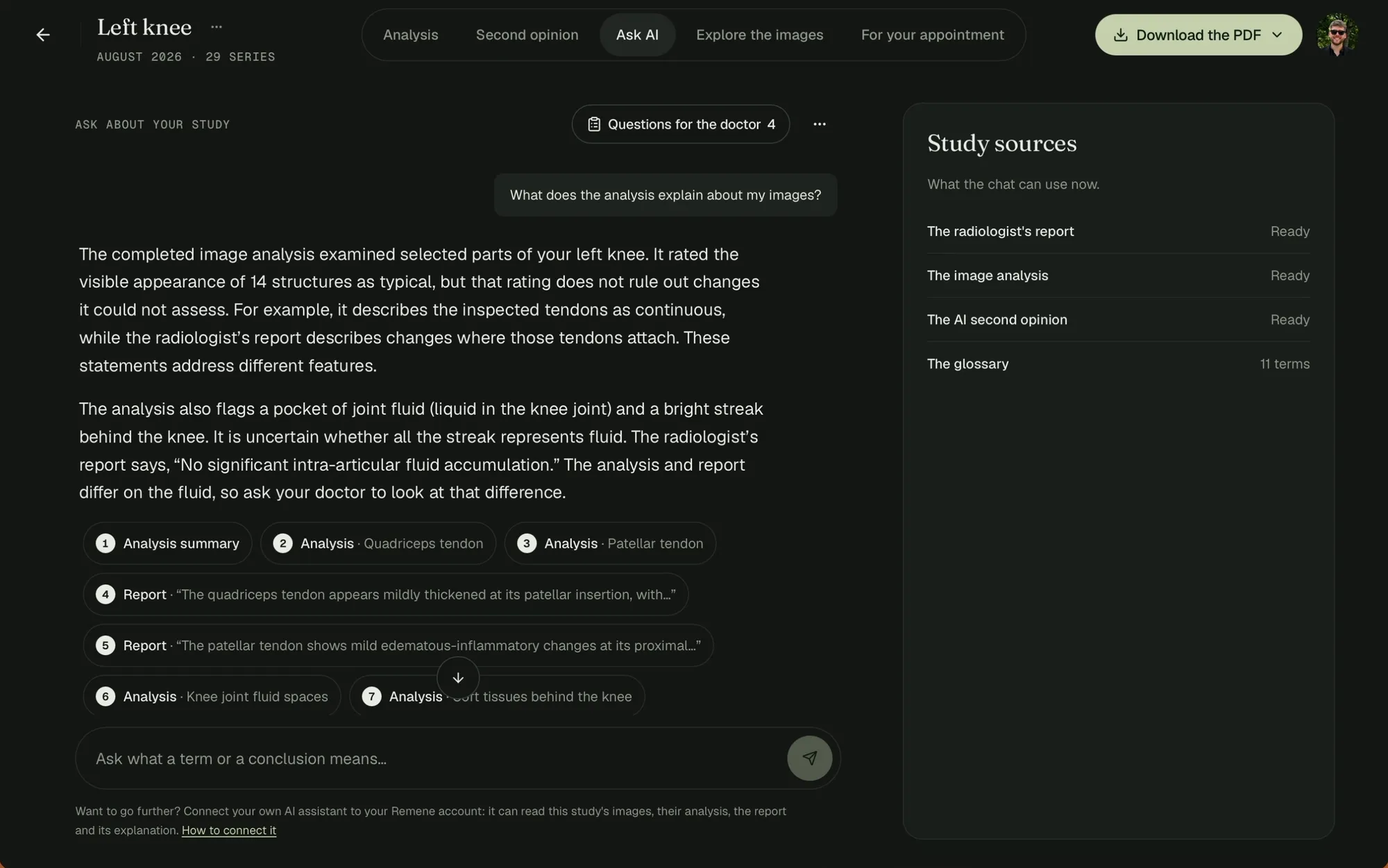
Ask about your study
Ask what a term or a conclusion means. Answers come from your own study and link to the parts they rely on.
A good question for your doctor is one tap away from your list.
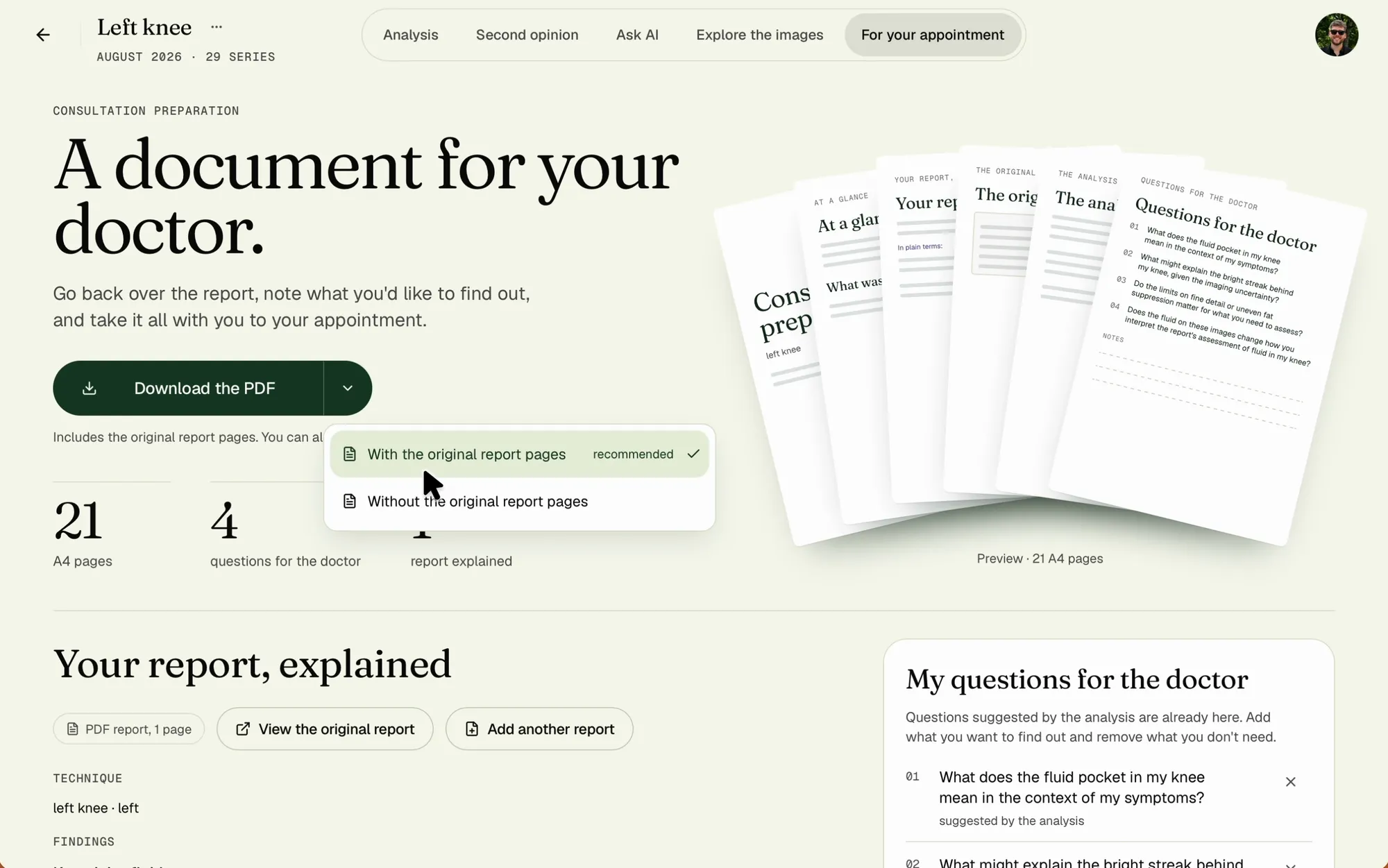
Take it to your appointment
Your questions, the explanations and the images come together in one PDF for your doctor.
With or without the original report pages: you decide what to bring.
What you need
- Your MRI. The folder from the CD, a download or a ZIP archive, just as you got it.
- A browser. On your phone or your computer; nothing to install.
- The report, if you have it. Everything else works without it, and you can add it later.
- About 15 minutes to the analysis. Upload included. About 30 minutes for everything, or as long as you like.
Exploring the images is free. One payment of $9.99 per study unlocks the rest. See pricing
Questions
Is the MRI in this guide real?
Yes. It is a real knee MRI, shared by its owner for this walkthrough and de-identified. Every screen, count and question on this page comes from it.
Do I need the radiologist's report?
No. The analysis, the images and the questions work without it. You can add the report later; the second opinion needs it.
How long does it take?
About 15 minutes from upload to the analysis. Everything, from the report and the second opinion to the chat and the images, takes about 30 minutes in all, or as long as you want to explore. The video shortens the waiting.
Does a doctor check the results?
Not yet. Everything Remene writes is AI output that no doctor has reviewed. It helps you prepare your questions; it does not replace your doctor's opinion.
Walk in knowing what to ask.
View your images for free. One payment per study unlocks everything else.
Remene helps you understand your MRI. The AI second opinion is optional, not reviewed by a doctor, and does not replace a consultation.